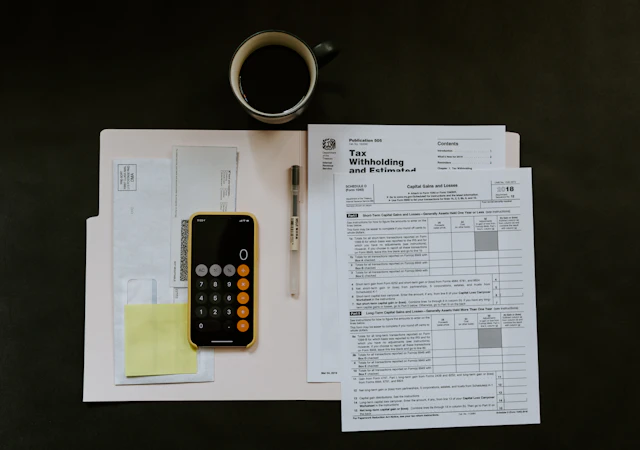
Stop entering the same details twice.
A reference, quantity and unit on a delivery note become separate spreadsheet fields. Spend your attention checking the entry instead of rebuilding it.
YOUR PAPERWORK. MEET YOUR AGENT.
Give ReadyRow the file and the job. AI agents read the details, ask the right questions and prepare entries for your apps. You review and approve.
“Add this delivery to my register.”
Does the handwritten quantity say 12 crates?
| Description | Quantity | Unit |
|---|---|---|
| Timber offcuts | 12 | Crates |
| Door seals | 24 | Pieces |
| Protective tape | 8 | Rolls |
“Prepare these prices for my catalogue.”
Should these prices include tax?
| Product | SKU | Buy price |
|---|---|---|
| Canvas apron | 00124 | $18.00 |
| Work gloves | 00125 | $6.00 |
| Safety glasses | 00126 | $9.00 |
“Put these invoice items in my expense sheet.”
Which job should these costs belong to?
| Description | Quantity | Amount |
|---|---|---|
| Storage crates | 4 | $96.00 |
| Packing materials | 2 | $24.00 |
| Freight service | 1 | $120.00 |
BUILT FOR THE FILES YOU RECEIVE
AI AGENTS THAT MOVE THE JOB FORWARD
“Add this delivery to my register.” Give ReadyRow a document and a goal. Its agents prepare the records, ask about unclear details and work out how the fields fit your chosen app.
I found the delivery reference and items. One quantity needs your confirmation.
The handwritten quantity is unclear. Check the original before saving.
LESS TYPING. MORE USEFUL DATA.
Take the details you already have and prepare them for the next job with ReadyRow. You check the result before it leaves your workspace.
A reference, quantity and unit on a delivery note become separate spreadsheet fields. Spend your attention checking the entry instead of rebuilding it.
An unclear figure should stay a question. Review it against the source before using it.
A leading zero can be part of an item code. Keep the value as written when preparing your records.
Map your supplier’s labels to the names your team uses. Reuse that mapping for the next document.
Prepare an export or an app entry. Keep using the tools your team already knows.
HOW READYROW WORKS
One clear path from the document you receive to the entry you need.
Start with a photo, PDF, DOCX, CSV or pasted text. Choose the document that normally makes you open a sheet and start typing.
Read the suggested fields beside the source. Correct mistakes, confirm units and fill a missing detail only when you know it.
Export the reviewed rows or approve an available app action. Your sheet, store or task list remains the place you do the work.

KEEP THE CONTEXT
“12” only tells part of the story. Was it 12 pieces, 12 boxes or 12 crates? Which delivery did it belong to?
The review keeps the quantity, unit and document reference together. When a teammate asks about an entry, you can go back to the source you checked.
CHECK BEFORE IT BECOMES A RECORD
A photo can be blurry. A supplier can use an unfamiliar unit. ReadyRow’s review gives you a place to resolve those details before approving an entry.
BUILT AROUND YOUR WORKDAY
Bring the documents you already receive. Turn their details into records your team can check and use.
LESS ADMIN FOR THE PEOPLE DOING THE WORK

Get invoice details into a reviewable table without typing every line again.
Explore invoice capture
Keep product codes, pack sizes and supplier prices together before updating your records.
Explore supplier prices
Turn a delivery docket or site note into the next register entry or assigned task.
Explore field tasksEVERYDAY WORKFLOWS
Explore a sample from your day. The source, the questions and the result stay connected.
A signed docket becomes a delivery you can find again.
Keep received and damaged quantities separate. Preserve the leading zeros in the docket number.
Keep the invoice and its figures together through review.
Compare each amount with the source. Confirm the supplier, currency and tax before preparing a bill.
A catalogue page becomes a product with distinct variants.
Group variants under the right product. Ask for missing prices instead of filling in a guessed amount.
Keep the introduction, lose the stack of business cards.
Check the email against the card. Review a possible existing match before creating another contact.
A new price list should not hide a change in pack size.
Keep price, currency and pack size together. Confirm the effective date before using a new cost.
Turn the notes from a walkthrough into clear next actions.
Separate open actions from completed work. Confirm the owner and due date rather than inferring them.
22 DESTINATIONS
A delivery belongs in a register. A contact belongs in your CRM. Choose the right account and record, then approve the fields you want to send.
Choose the app. Review the fields. Approve the entry.
Explore the integrationsREVIEW AND CONTROL
ReadyRow’s workflow keeps you involved before information reaches another app. Keep the source, your review and the destination together.
See the review approachThe review keeps proposed values editable. Unresolved details stay visible before you approve a destination action.
Keep the original document and field evidence with the draft, so you can check a quantity or reference in context.
See which account will receive the record and what operation is proposed. An application to the beta does not connect your software.
The receipt records the destination response. An uncertain write needs to be checked before it is retried.
The form asks for your email, chosen app and an optional task description. It does not ask for payment details, software credentials or customer files.
Beta application privacyBEFORE YOU APPLY
What it does, what you check and how the beta works.
YOUR QUESTIONS
Tell ReadyRow what you want to do and add a photo or document. An extraction agent reads the source and flags unclear details. A mapping agent prepares the reviewed fields for your chosen app. You check the result before exporting or approving the entry.
No. The workflow prepares information for the tools you already use. You can choose an export or a destination action. Each of the 22 integrations has a page explaining how to use it.
Yes. Review the values against the original, especially quantities, codes, currencies, tax and prices. An unclear or missing field needs confirmation. ReadyRow should not invent a value to finish a record.
Apply with the app you use and a short description of the work you repeat. We will invite testers as workflows become ready. Use sample records for the first test. You do not need to upload customer files to apply.
Choose Free or Pro. Business is coming soon. USD is the base currency, with estimated equivalents for other currencies. Applying to the beta does not start a paid subscription.